Houston Chronicle
Hearst Newspapers - LLCNews & Magazines
4.3473.00 Reviews
- Version
- 202608.28
- Installs
- 50.00K
- Age Rating
- Everyone
Screenshots
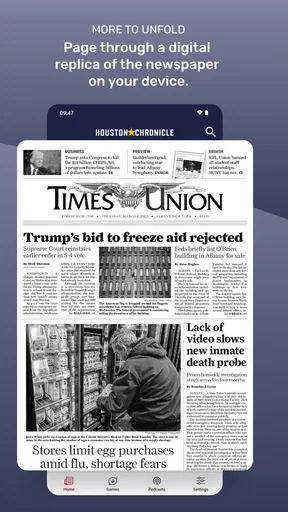
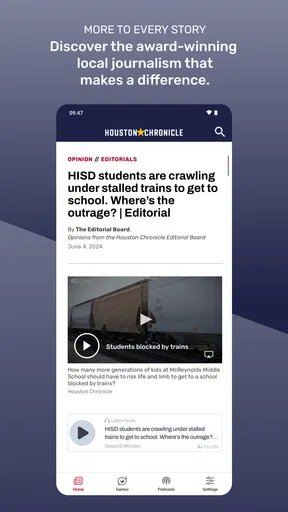
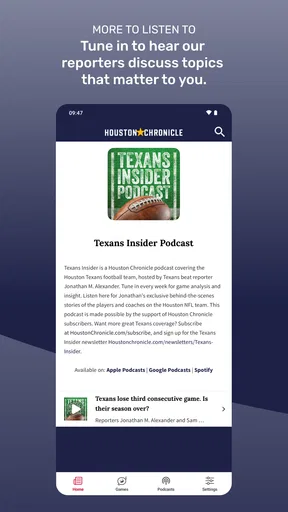
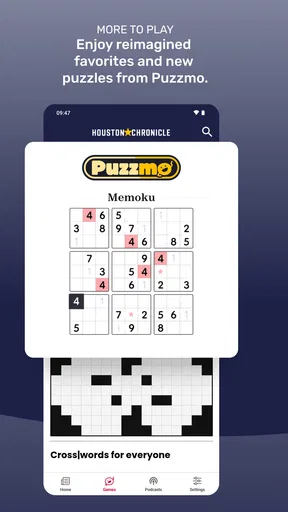
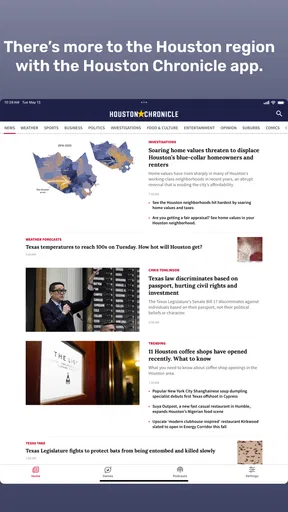
Our Review of Houston Chronicle
 Analysis by Appyee
I like a local news app best when it helps me make sense of the day without turning every quiet moment into another scroll session. The Houston Chronicle is built around Houston coverage, so it makes the most sense for readers who want a closer view of the city’s news, politics, sports, food and everyday conversations. I would use it to follow what is happening near home, then dip into national coverage when a local story connects to a bigger issue.
That local focus is also the main reason to choose it over a general news aggregator. Aggregators are useful when I want a broad mix from many outlets, but they can make a city feel like just another topic in an endless feed. A newspaper app gives Houston reporting a more central place. The trade-off is that readers who want a balanced stream of perspectives from across many publishers may still prefer an aggregator alongside it.
A useful rhythm for following Houston
My practical routine would be to check the app once in the morning for the stories that could affect the day, then return later for updates rather than reacting to every headline as it arrives. For example, someone commuting across the city might scan local reporting before leaving, while a sports fan could save a longer read about the Astros or Texans for a quieter break. That simple separation keeps news useful instead of letting it interrupt everything.
The app’s range also suits different kinds of readers in one household. One person may open it for city affairs, another for a team, and someone else for food coverage or puzzles. I would start by choosing only the subjects I genuinely follow. A narrower routine is often more sustainable than trying to read every section, and it makes it easier to notice when a story deserves a longer look.
When local reporting matters most
The strongest case for this app is not that it replaces every news source; it is that Houston is the subject rather than an afterthought. If a local decision, community issue or team result matters to your plans, a city-focused publication can offer context that a national headline feed may not prioritize. I would keep it close when I want to understand how a story affects people in the area, not just see that it happened.
It is less compelling if you rarely follow Houston or mainly want international coverage. In that situation, a broad national app or a multi-publisher reader is likely to earn more daily use. The Chronicle is most valuable when the city’s own news is a regular part of what you want to know.
As a news and magazines app from Hearst Newspapers - LLC, it is free to install, with in-app purchases listed from $5.99 to $14.99 per item. Its Everyone age rating makes it suitable for a general audience, while the current version is 202602.31 and the minimum OS requirement is 9. The app has a 4.3 average from around 1.1 thousand ratings, with over 50 thousand installs. Those figures suggest an established audience, but I would still judge the experience by whether its Houston coverage fits your interests.
Build a routine before adding more alerts
Settings matter most when they reduce noise. I would review notification choices early and keep only the alerts that help me act or understand something promptly. Breaking news can be useful, but a steady stream of updates is not automatically better; if every alert competes for attention, the important ones lose their impact. A quick check of the available preferences can make the app feel more like a deliberate news source and less like a siren.
For reading, I would make text size comfortable before settling into longer articles, then use search when I remember a topic but not its headline. Search is particularly handy for returning to a developing local issue without scrolling through unrelated coverage. If I know I will be offline, I would prepare the reading I want beforehand where the app’s offline option is available, rather than assuming every item will be ready without a connection.
Small habits that make the app more useful
A helpful pattern is to treat the feed as a starting point, not a to-do list. I would scan headlines, choose one or two stories that matter, and leave the rest for another time. For a reader following local government, that might mean using search to revisit a subject over several days; for a sports reader, it might mean checking coverage after a game rather than keeping notifications on throughout the day. This approach makes personalization purposeful instead of merely changing what appears on screen.
Offline reading can also fit a repeatable routine: pick articles while connected before a commute or a period with unreliable service, then read them later without relying on a live connection. I would not use that as a substitute for checking fresh updates, because saved reading is most useful for catching up, not for tracking a story as it changes. That distinction is easy to overlook when convenience is the main goal.
Where I would keep expectations in check
The app’s personalization and local focus do not mean every reader will find a complete picture of every subject in one place. Someone comparing viewpoints across publishers should pair it with other sources, and someone who wants only quick headlines may find a newspaper’s deeper reading less necessary. Likewise, subscription access is worth weighing against how often you actually read; the free app is an easy way to explore, but the value of paid access depends on whether its additional journalism becomes part of your routine.
I would also avoid assuming that a feature mentioned in one version behaves identically on every device. The app is available for Android and iOS, but a phone’s operating system and the app version can affect the details a reader sees. Before building a habit around an option, I would check that it appears on my own device and works the way I expect. That is a practical step, not a reason to dismiss the app.
Getting Started with the Houston Chronicle App
First things first, downloading the Houston Chronicle app is a breeze. Available on both Android and iOS, you can find it easily in the Google Play Store or Apple’s App Store. Once installed, the setup is straightforward. The app welcomes you with a clean and intuitive interface, making navigation a piece of cake even if you’re not a tech whiz.
Design and Usability
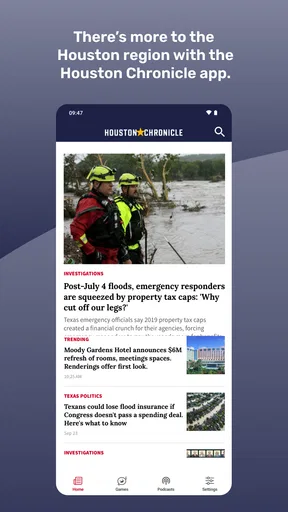
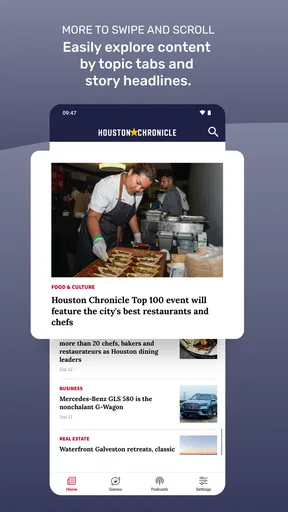
One of the standout features of this app is its sleek design. The developers have really put thought into creating an interface that is both functional and visually appealing. The app is organized into sections, so whether you’re interested in local news, sports, or entertainment, everything is just a tap away.
I found the search functionality particularly useful. You can easily find articles by keywords or browse through categories. It’s like having a personal news curator right in your pocket! The font size is adjustable, which is great for those of us who prefer larger text for easier reading.
Features that Keep You Hooked
Alright, let’s talk about the meat of the app – the features. The app offers a personalized news experience. You can customize your feed based on your interests, ensuring that you get the news that matters most to you. This personalization makes keeping up with current events feel less like a chore and more like an engaging activity.
Another feature I love is the offline reading mode. It’s perfect for when you’re on the go and don’t have access to Wi-Fi. Just download the articles you’re interested in, and you’re all set to read them anytime, anywhere.
Notifications and Alerts
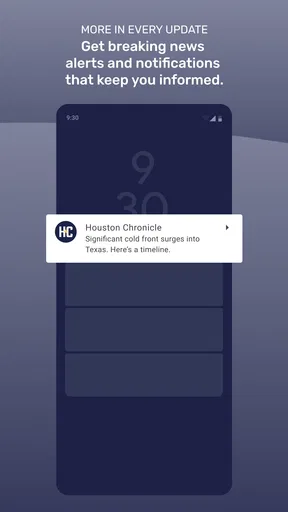
Notifications can be a double-edged sword, but in this case, they’re more like a handy tool. The app sends out push notifications for breaking news, so you’re always in the loop. The alerts are timely and thankfully not overbearing. You can also adjust the notification settings to suit your preference, ensuring you’re not bombarded with updates.
Subscription and Access
Now, let’s talk about access. The app offers a mix of free and premium content. While you can access a good amount of news for free, a subscription unlocks the full range of articles and features. If you’re a news junkie like me, the subscription is worth considering. It provides deeper insights and exclusive content that you won’t find elsewhere.
I would still decide on a subscription based on my actual reading, not on the assumption that paying automatically improves every part of the experience. I’d first use the free access to see which sections I return to and whether I regularly hit content that requires a subscription. The listed in-app purchase range is $5.99 to $14.99 per item, so I’d check the purchase details in the app before committing and make sure the available option matches what I want. A frequent reader who relies on the Chronicle’s reporting may find the added access worthwhile; an occasional visitor may be better off staying with what they can read for free.
Final Thoughts
In conclusion, the app is a fantastic resource for anyone looking to stay informed. Its user-friendly interface, personalization options, and offline reading capabilities make it a standout in the crowded field of news apps. Whether you’re a Houston local or just someone interested in quality journalism, this app is definitely worth checking out.
So, what are you waiting for? Head over to your app store and give it a try. You might just find it becoming your go-to source for news!
My final recommendation is to treat it as a focused companion for Houston rather than a universal answer to every news need. It is a sensible pick if local stories, sports, food coverage, puzzles and newspaper reading are part of your week; it is an easy skip if you do not follow the city or want one app to gather many publishers’ perspectives. I’d begin with a small set of interests, keep alerts selective, and see whether the reporting earns a place in my routine. That gives the app a fair test without asking it to be something it is not.
Verdict
Strengths of Houston Chronicle
- User-friendly interface for easy navigation.
- Comprehensive local news coverage.
- Customizable notifications for breaking news.
- Includes multimedia content like videos.
- Offline reading mode available.
Limitations of Houston Chronicle
- Some articles require a subscription.
- Ad interruptions can be frequent.
- Occasional app crashes reported.
- Limited international news coverage.
- No dark mode option for night reading.
Other Releases by Hearst Newspapers - LLC
View All
The San Francisco Chronicle
News & Magazines4.0

Austin American-Statesman
News & Magazines3.1

CT Insider
News & Magazines4.0

San Antonio Express-News
News & Magazines4.1
Similar Picks in This Category
View All
Google News - Daily Headlines
Google LLC4.0

X
X Corp.4.8

Flipboard:Your Social Magazine
Flipboard3.4

Opera News: breaking & local
Opera4.5

Hindi News by Dainik Bhaskar
Dainik Bhaskar Group4.0

Way2News Daily News App
Way2News ( Formerly Way2SMS )4.6
Frequently Asked Questions
What features does the Houston Chronicle app offer?
The Houston Chronicle app provides users with access to local news, sports updates, weather forecasts, and various opinion pieces. It also offers multimedia content including videos and photo galleries. Users can personalize their news feed and receive notifications about breaking news, ensuring they stay informed on the go.
Is the Houston Chronicle app free to use?
The app itself is free to download, but it offers both free and subscription-based content. Some articles and features may require a digital subscription for full access. Users can explore the app to determine if the premium content justifies a subscription based on their interests and needs.
How do I customize my news feed in the Houston Chronicle app?
Customizing your news feed in the Houston Chronicle app is straightforward. Users can select preferred topics and categories, such as sports, politics, or entertainment. This can be done in the settings menu, allowing the app to prioritize and display relevant content first, enhancing the user experience.
Does the Houston Chronicle app support offline reading?
Yes, the Houston Chronicle app supports offline reading. Users can save articles to read later without an internet connection. This feature is particularly useful for those who have limited data plans or are in areas with poor connectivity, ensuring that they have access to content anytime.
What devices are compatible with the Houston Chronicle app?
The Houston Chronicle app is compatible with both Android and iOS devices. It is optimized for smartphones and tablets, providing a seamless experience across different screen sizes. Users should ensure their device’s operating system is up to date to enjoy the latest features and improvements.
